
Edit User Group Properties
To edit the properties of an existing User Group:
-
Log into the Zeta Login User Workspace.
-
Click your profile icon in the top-right corner of the screen. The Profile Info pop-up window is displayed.
-
Within the Profile Info pop-up window, click Zeta Login Administration. This will take you to the Zeta Login Administration environment, with the Users tab selected by default.
-
Select the User Groups tab. This tab displays all currently defined User Groups.
-
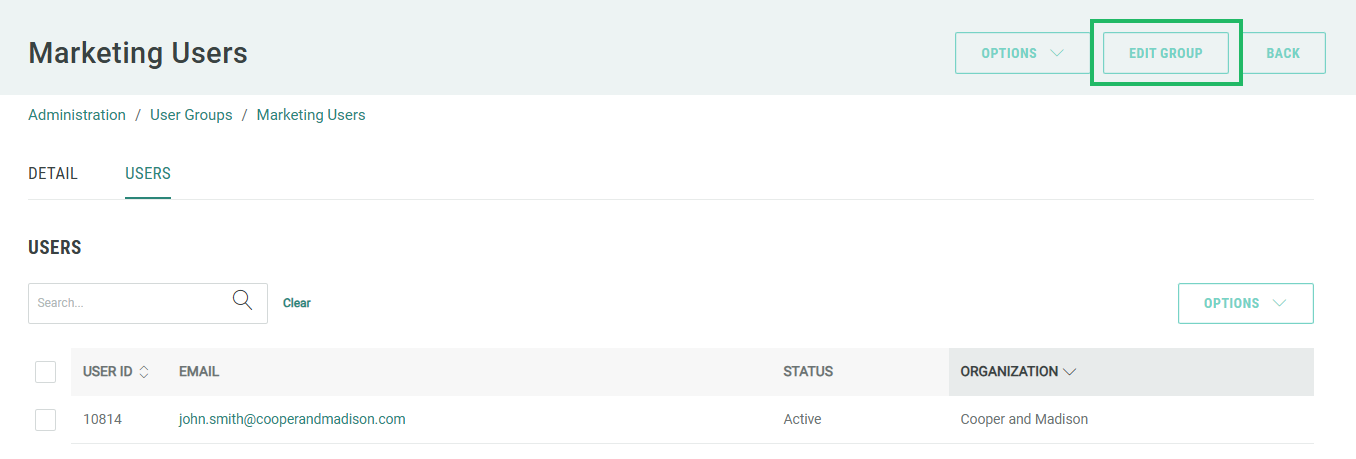
Click the desired User Group. The User Group Details screen is displayed with the Detail tab selected by default.
-
Click Edit Group. The Edit User Group pop-up window is displayed.
-
Optionally edit the User Group name and / or code.
Note: Leave the IDP Identifier field blank.
-
Click Save Group.
